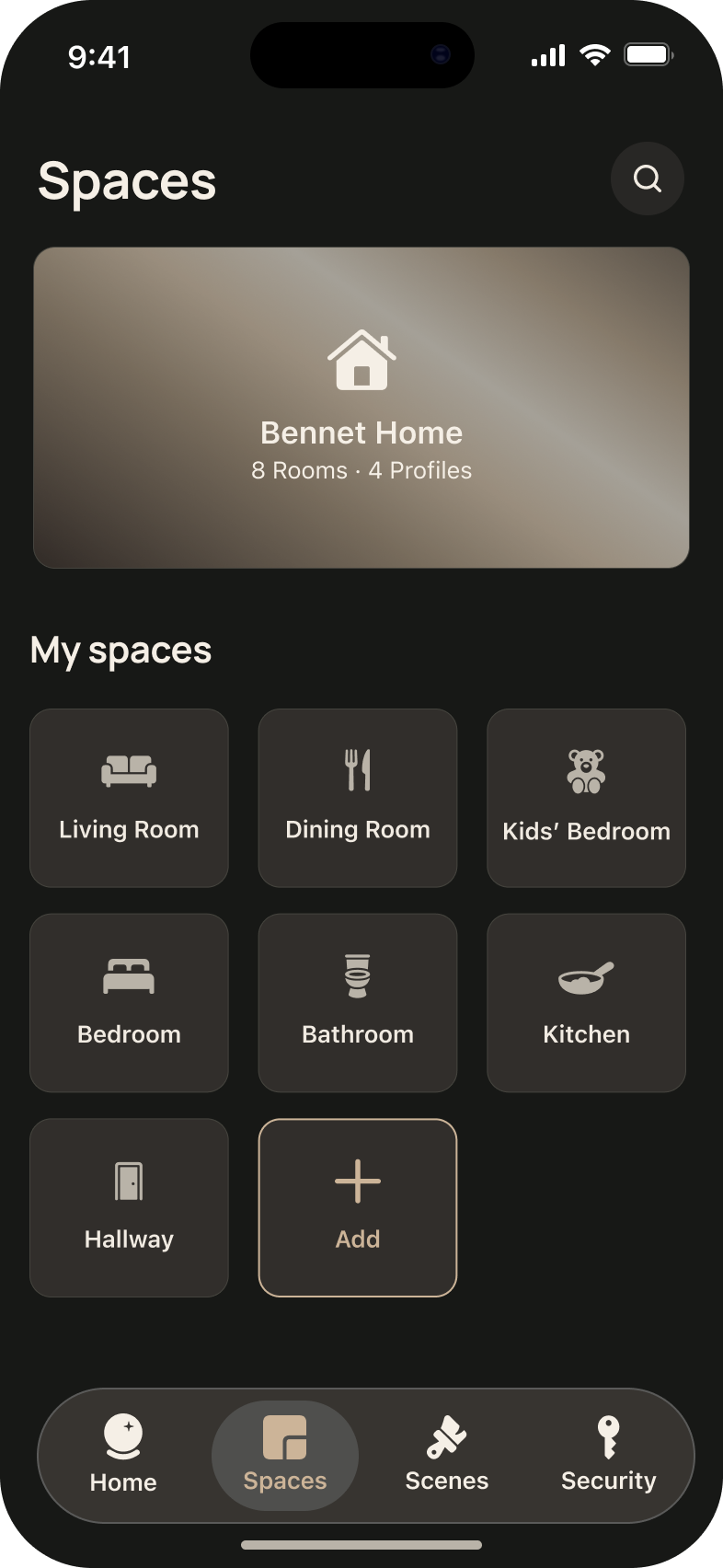
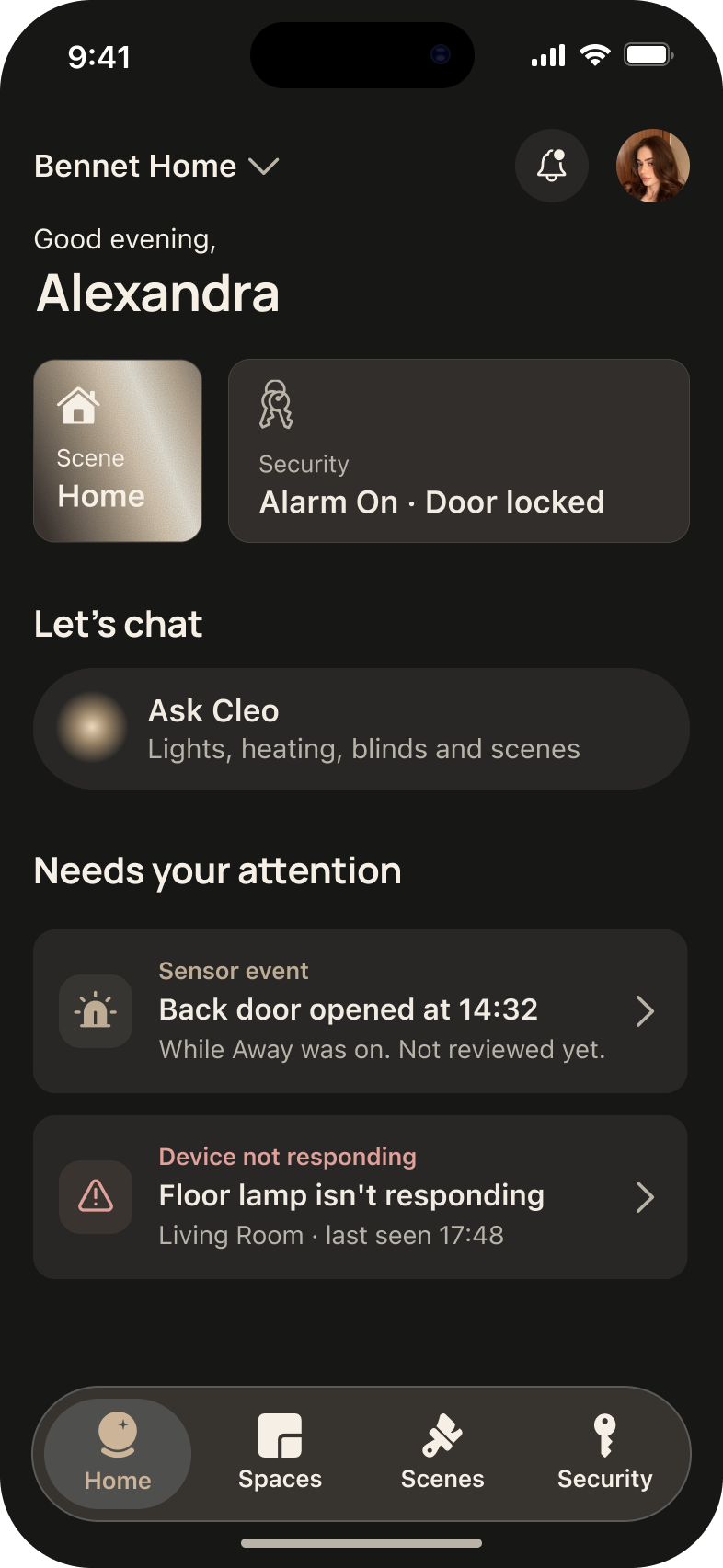
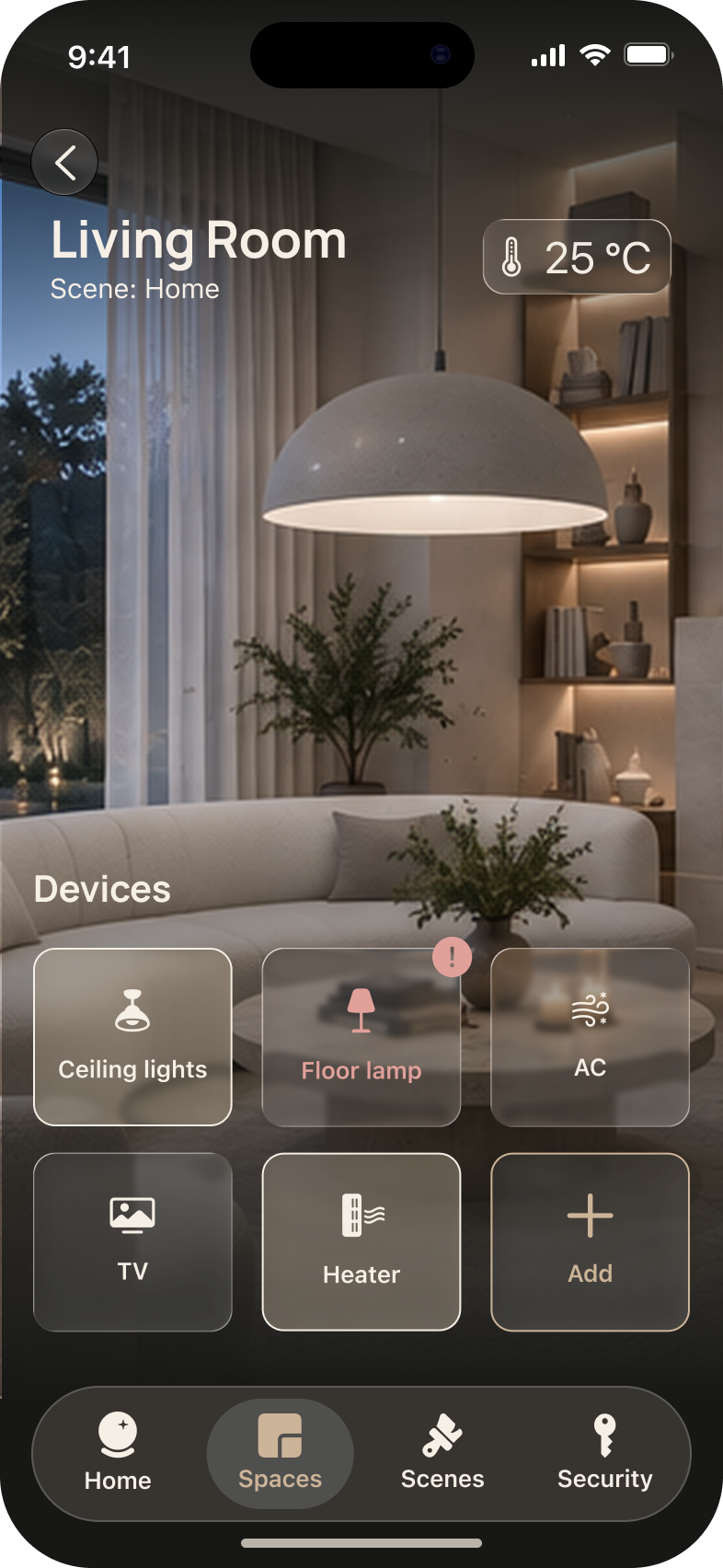
Spaces screen
Home screen
Living Room devices screen
mina

Your home in
the palm of
your hands

Speed project 5 min read
Role Product Designer
Timeline 5 days · Speed project
Skills
UX Strategy UI Design Design Systems
the challenge

A high-end smart-home app, designed in 5 days

A speed project: one app to manage and automate lighting, climate, security and entertainment in a luxury home. It had to feel sophisticated, intuitive and premium.

01
Control and customise devices
02
Create and manage automated scenes
03
Monitor home security
Plus: an AI assistant for voice control and smart suggestions.
the problem

Users know what they asked their home to do — not what actually happened

Existing platforms connect and automate devices well. But multi-device routines fail quietly: one lamp doesn’t respond, a lock doesn’t report back, and the app still says “done”.

design goal

Make automation outcomes visible, understandable and actionable — especially when devices fail or report an uncertain status.

research

Most homes start with speakers and security — and wealthier homes go further

I looked at which smart-home devices British adults actually own, to decide what mina should put first.

smart-home ownership in Britain
Smart speakers
35%
Security cameras
18%
Smart thermostats
14%
Smart lighting
12%
Smart washing machines
8%
Smart fridges
3%
Smart dishwashers
3%
ownership by income group
12%
5%
Smart washing machine
7%
2%
Robot vacuum
5%
2%
Smart fridge
6%
2%
Smart dishwasher
Higher-income householdsLower-income households
what this meant
2–3× Higher-income homes own 2–3× more smart appliances, so a premium app has to handle many devices failing in many ways. Security, heating and lighting led the way, so they lead mina’s Home screen too.
Source: YouGov, August 2025.
target audience

The convenience-oriented premium homeowner

An affluent UK homeowner in a busy professional household, managing several connected systems. Digitally confident, but they value effortless control, reliable automation and security over deep customisation.

A
Alexandra38 · Owner · runs routines from her phone, often while commuting
D
Daniel41 · Member · controls devices day to day, checks security events
a day at the Bennets’

Five ordinary moments where a smart home can let you down

Follow Alexandra and Daniel through one day in their London home. At each moment, compare what a typical app tells them with what mina does.

Picture this
Tap a moment to step into it below.
{{ st.initial }} {{ st.time }} · {{ st.who }}
{{ st.title }}

{{ st.scene }}

{{ stLensLabel }} {{ stLens }}
{{ stN.eyebrow }} {{ st.time }}
{{ stN.title }} {{ stN.body }}
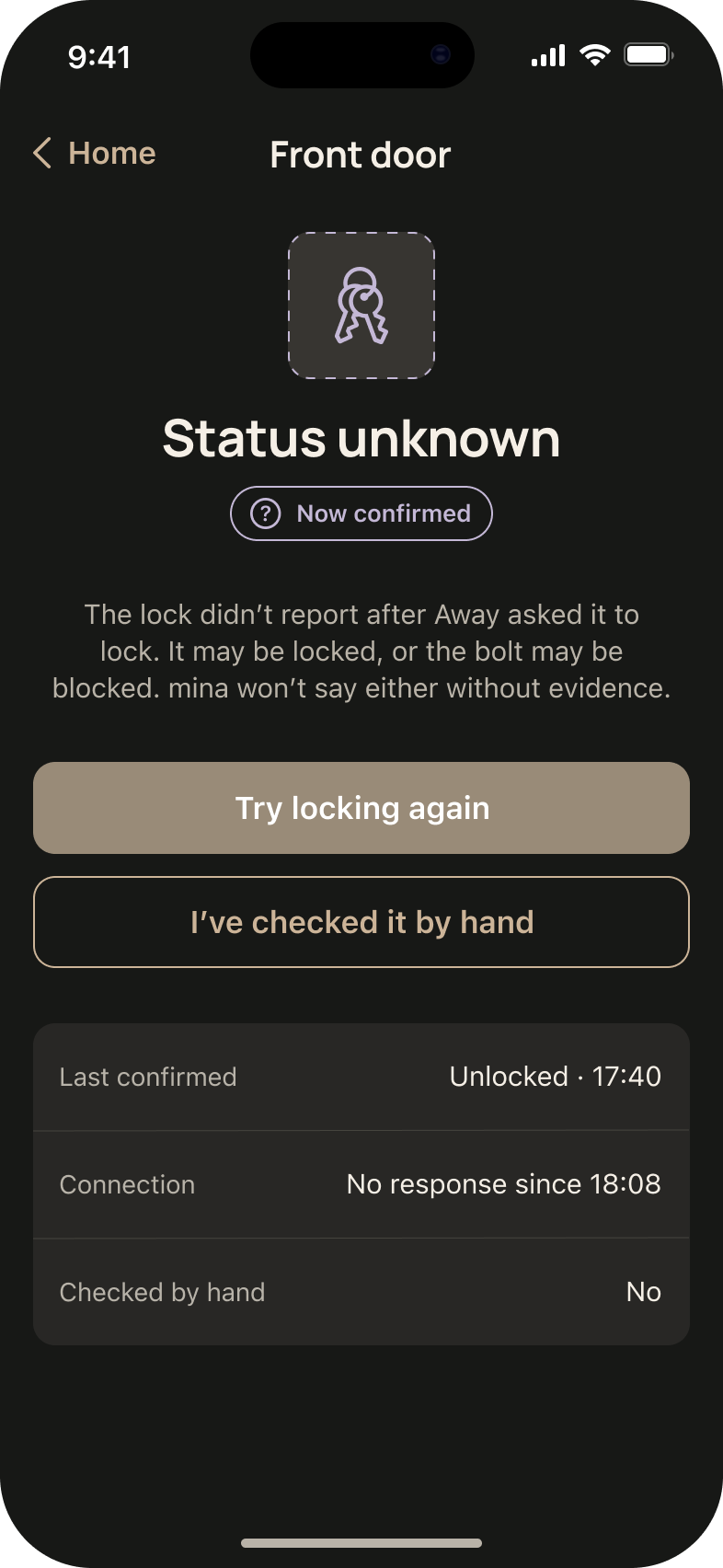
{{ stN.reality }}
Front door: status unknown
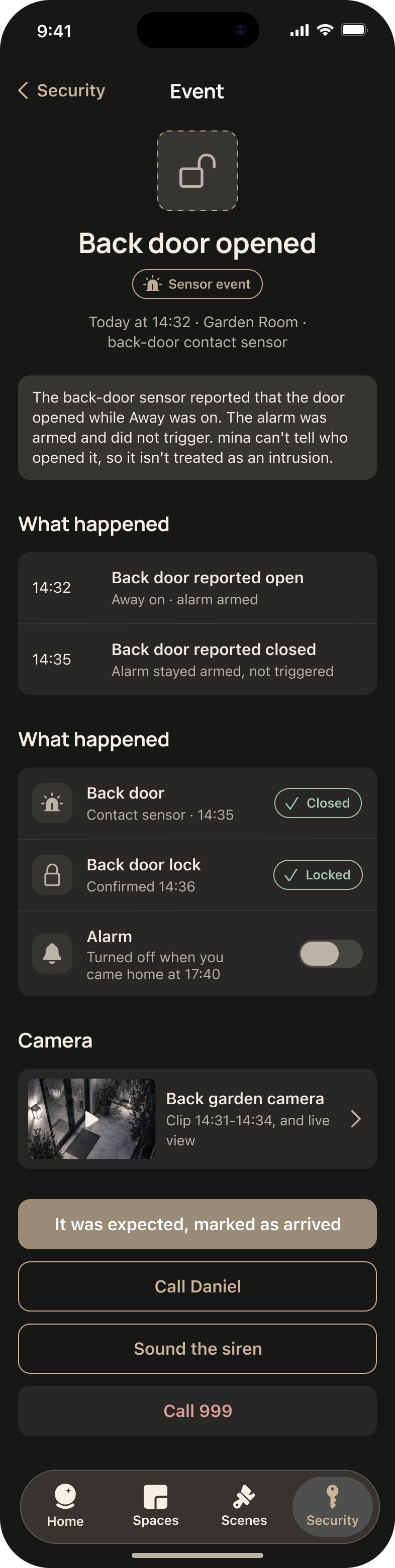
Back door sensor event
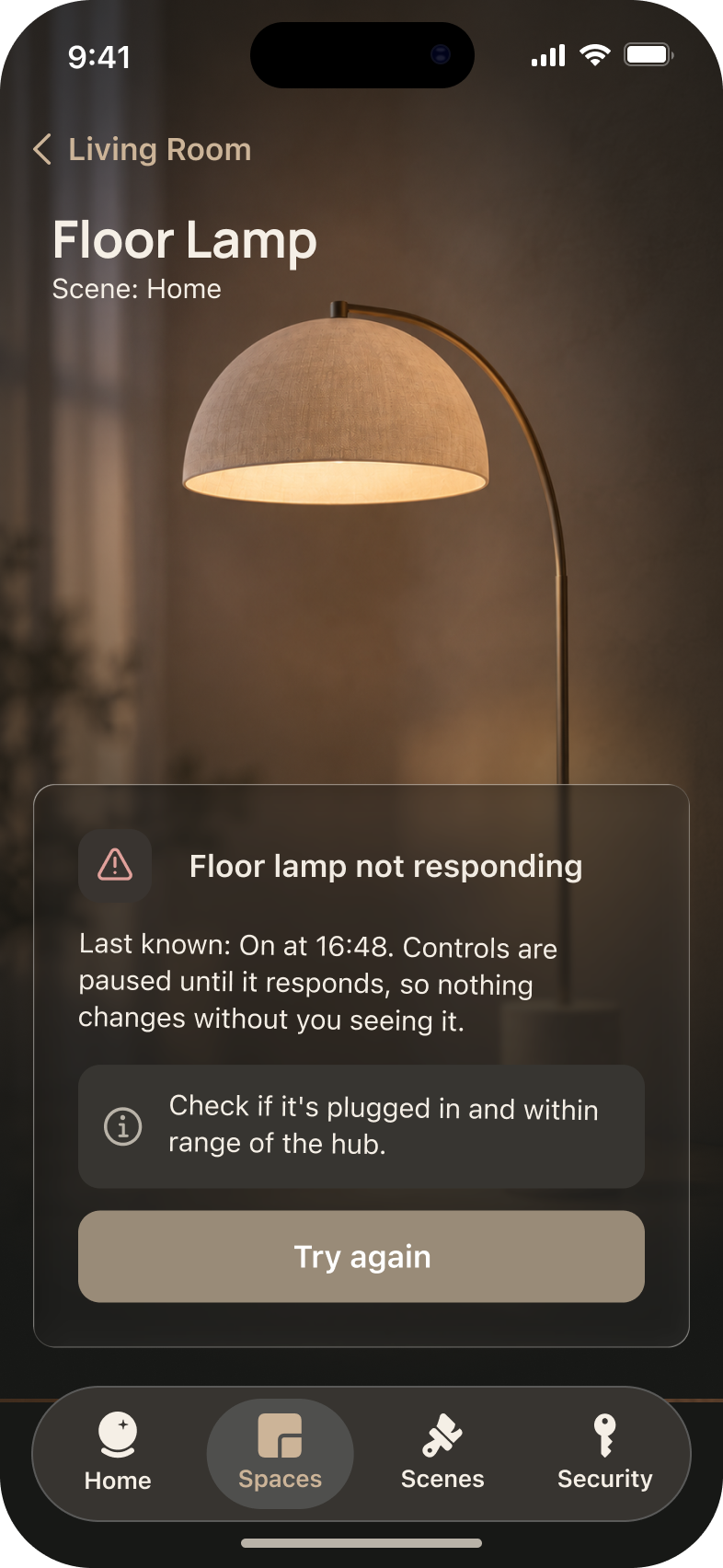
Floor lamp issue
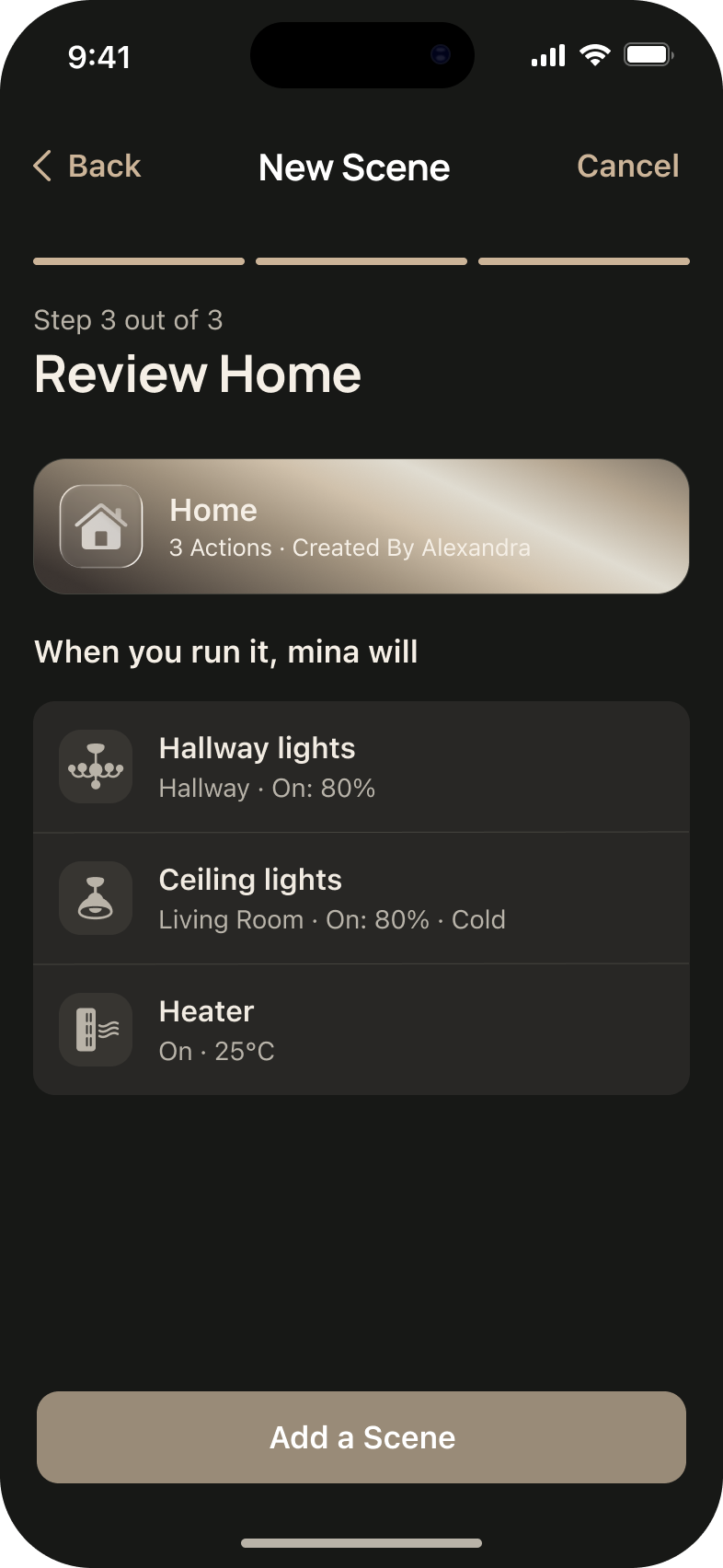
Review: When you run it, mina will
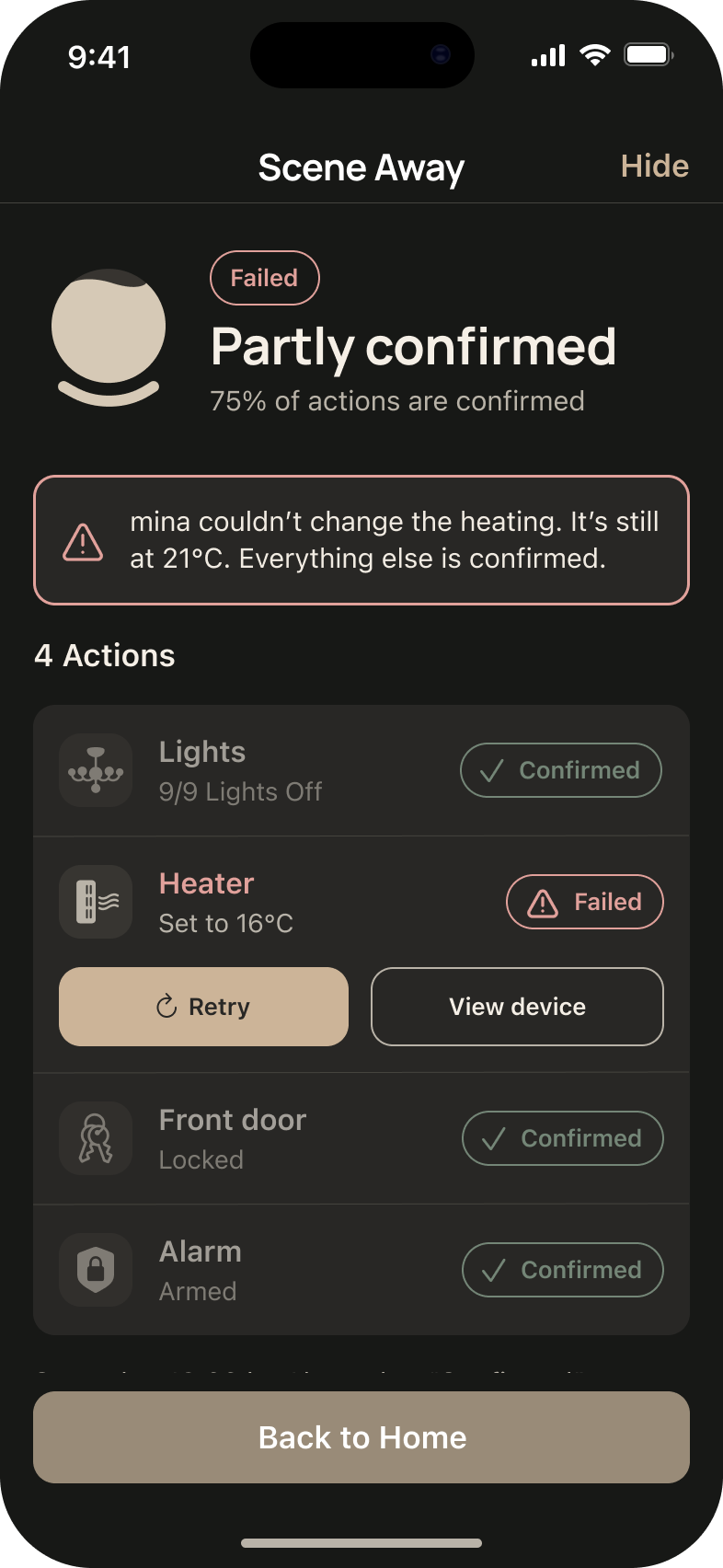
Heater failed: retry
{{ stCount }}

Five moments, one rule: mina never claims more than it has evidence for.
concept

Effortless living, without uncertainty

mina is a personal smart-home companion that connects, controls and automates your home while keeping you informed, secure and in control.

why “mina”?
Resolute protector Persian and Germanic, often short for Wilhelmina — “safety of the home”. It’s an assistant, so it should sound like someone you’d ask: “I asked mina to turn the lights off.”
product personality
Discreet Intelligent Dependable Human
One place to control, automate and monitor the home with clarity and confidence.
guiding principle
“Confirmed” means the device itself reported the new state — not just that mina sent the command. mina never claims more than it has evidence for.
user flow

Mapping the whole app before designing a single screen

Four navbar tabs, each branching into the screens and states behind it. Hover a screen to trace its path; click to pin it.

tab main screen screen end state
Entry flow — mapped, but not covered in the prototype
Home
Home dashboard
Security summary
Current scene
Attention needed notifications
Ask mina (AI assistant)
Proposed actions
Suggestions
Household selector
Notifications
Push notifications
Notification centre
Security alerts
Device connectivity issues
Scene execution issues
Household activity
Profile & household
Personal account
Household & members
Member permissions
Invite a member
Home settings
Connected systems
Notification preferences
Household activity
Help and support
Layout
Top bar
Navbar: bottom of the screen
Spaces
Spaces overview
Add a space
Rooms
Devices
Turn on/off (dashboard like a controller)
Edit device details
Power (on/off)
Intensity
Temperature (colour or degrees)
Other features specific to that device
Scenes
Scenes overview
Scene library
Away
Arriving Home
Morning
Evening Relaxation
Good Night
Movie Night
Automations
Scene detail
Run now
Edit
Schedule (set an automation)
Disable or remove
Create scene
Name and icon
Add actions
Review scene
Scene added
Automation setup
Choose trigger
Conditions (optional)
Review and save
Automation added back to scene details
Security
Security overview
Alarm status
Locks and access
Door and window sensors
Cameras
Recent events and alerts
Alarm control
Arm / disarm — permission-gated, Face ID
Security alert detail
Event type label
Next actions
Acknowledge
Contact another member
Change alarm
Call 999
Camera detail
Live view
Event footage
Security events
Entry
Welcome · Sign in / Create account
Create a home
Name and details
Connect hub or compatible devices
Organise devices into rooms
Invite household members
Favourites and starter scenes
Then: Home dashboard
Join a home
Sign in, then join household
Review permitted access
Then: Home dashboard
Scroll sideways to see deeper branches.
key flows

Designed for the moments when things don’t go to plan

{{ flow.who }} {{ flow.title }}

{{ flow.body }}

—{{ p }}
visual system

A warm, low-light interface that feels at home in the evening

Instead of the usual cold luxury-tech black, I leaned on stone, sand and brass — closer to interior materials than to a dashboard.

type
Manrope Headlines in Manrope for character; SF Pro for body and controls, following iOS guidelines.
Alexandra28 · Bold
Needs your attention20 · Bold
Floor lamp isn’t respondingSF Pro 17 · Semibold
Living Room · last seen 17:48SF Pro 15 · Regular
colours · click to copy
state colours · used only in messages
ConfirmedDevice reported the new state
Sensor eventSomething was reported, not judged
Status unknownNo report — mina won’t guess
Not respondingNeeds your attention
behind the scenes

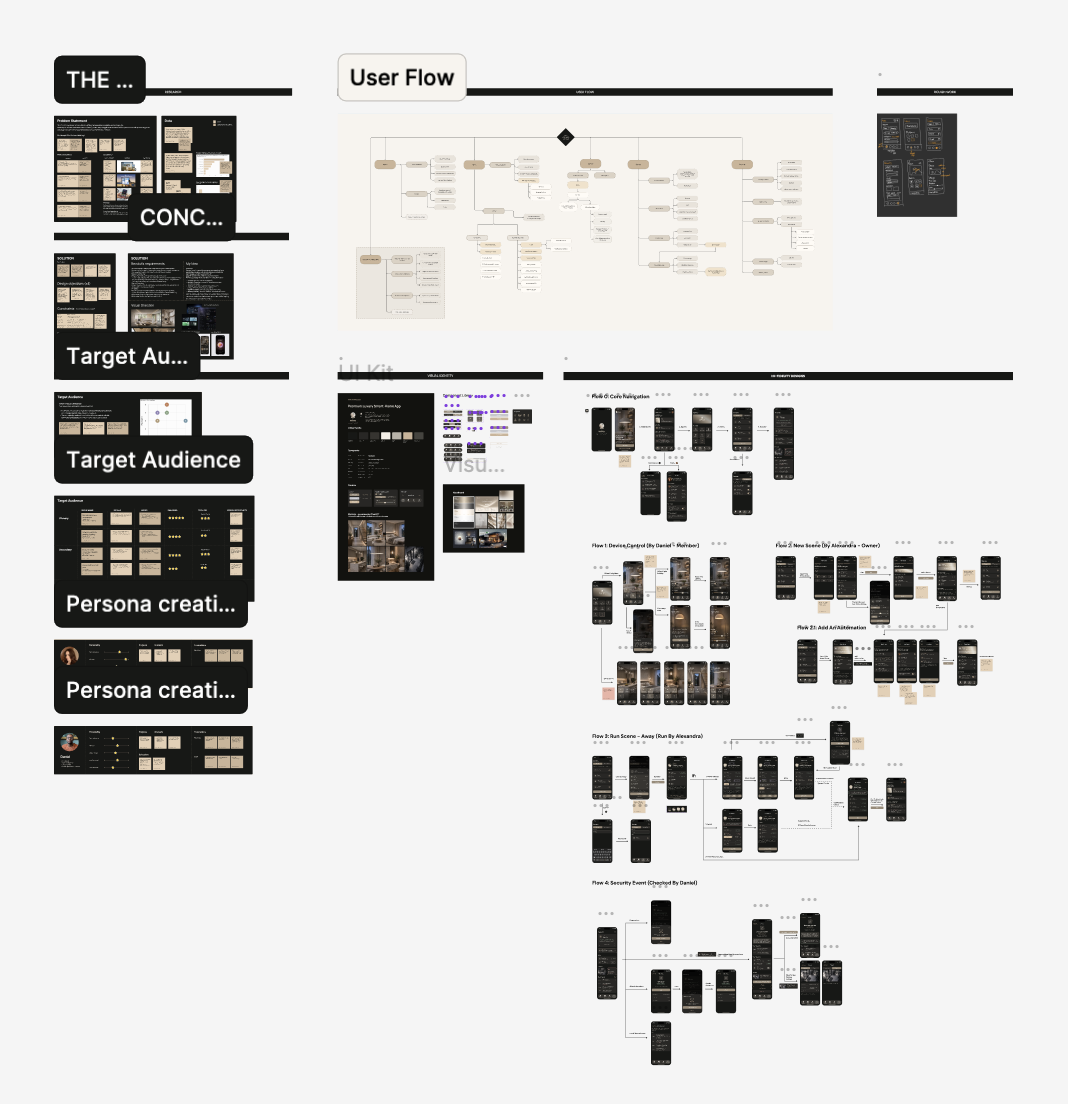
The whole project, five days in one file

Research, personas, the user flow, the UI kit and every hi-fi flow — laid out side by side in Figma.

Overview of the mina Figma file: research, user flow, UI kit and hi-fi flows
Thank you for reading!

Reach out if you have any questions — the full design file and prototype can be shared on request.